
Download Blogcast – AI Text‑to‑Speech Converter, Free Voice Generation Tool
Overview
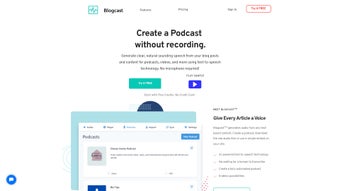
Blogcast is an innovative AI‑powered text‑to‑speech (TTS) platform that turns written content into high‑quality audio with just a few clicks. Built for creators, educators, marketers, and podcasters, Blogcast lets you breathe life into articles, blog posts, e‑learning modules, and website copy. The service supports more than 25 languages and dialects, offering a broad palette of natural‑sounding AI voices that can be fine‑tuned for pronunciation, tone, and pauses.
Whether you need a calm narrator for a meditation guide or an energetic host for a tech podcast, Blogcast’s speech synthesis editor gives you granular control over every spoken element. Once generated, audio files can be stored on your own server, streamed via a customizable media player, or embedded directly into your site with a simple HTML snippet. Blogcast also streamlines podcast distribution: it automatically creates RSS feeds compatible with iTunes, Spotify, Google Podcasts, and other major platforms.
Flexible subscription plans and one‑time article credits make the solution cost‑effective for occasional bloggers as well as high‑volume publishers. In short, Blogcast provides a secure, scalable, and user‑friendly way to voice‑enable any text‑based content.
Key Features
- Multilingual Support: Over 25 languages and regional dialects, including English (US, UK, AU), Spanish (ES, MX), French, German, Mandarin, Japanese, and more.
- Natural‑Sounding AI Voices: Deep‑learning models generate speech that mimics human intonation, rhythm, and emotion.
- Advanced Speech Editor: Adjust pitch, speed, pronunciation, and insert custom pauses or emphasis to match your brand’s tone.
- Embedded Media Player: Fully customizable player with color themes, playback speed controls, and download options.
- Secure Cloud Storage: Host audio files on encrypted servers, with private URLs and access‑token protection.
- One‑Click Podcast Feed Generation: Auto‑create RSS feeds compatible with iTunes, Spotify, Google Podcasts, and Anchor.
- API Access: Integrate Blogcast into your own applications, CMS, or LMS using RESTful endpoints.
- Flexible Pricing: Monthly/annual subscriptions, pay‑as‑you‑go article credits, and a free tier for testing.
- Analytics Dashboard: Track play counts, listener locations, and average listening time for each audio asset.
- Compliance & Accessibility: Meets WCAG 2.1 AA standards, helping you create accessible content for visually impaired users.
Installation & Usage Guide
Getting started with Blogcast is straightforward, whether you prefer a web‑based workflow or programmatic integration via API.
Web Interface (No Installation Required)
- Visit blogcast.com and create a free account using your email or Google login.
- Once logged in, click New Project and paste the text you want to convert.
- Select your desired language and choose a voice from the preview library. Use the Speech Editor to tweak speed, pitch, and add custom pronunciations.
- Click Generate Audio. The system typically produces the file within seconds for short texts and a few minutes for longer documents.
- After generation, you can preview the audio, download the MP3/WAV, or click Embed to copy a ready‑made HTML snippet.
- To publish as a podcast, navigate to the Podcast Manager, fill in episode metadata (title, description, cover art), and hit Publish. Blogcast will automatically update your RSS feed.
API Integration (Developers)
For automated workflows, Blogcast provides a REST API with JSON payloads. After obtaining an API key from the Developer Portal, follow these steps:
- Make a POST request to
https://api.blogcast.com/v1/ttswith parameters:text,language,voice_id, and optionalsettings(speed, pitch). - The response includes a
task_id. Pollhttps://api.blogcast.com/v1/status/{task_id}until the status is completed. - Download the audio file from the provided URL or stream it directly via the signed URL.
- Use the
/podcastendpoint to create or update episodes programmatically.
All API calls are secured with HTTPS and require the Authorization: Bearer header. Detailed documentation, code samples, and SDKs for Python, Node.js, and PHP are available in the developer portal.
Compatibility, Pros & Cons
Blogcast is a cloud‑based service, which means it works on any modern operating system that can run a web browser—Windows 10/11, macOS Monterey and later, Linux distributions, as well as mobile platforms like Android 8+ and iOS 13+. The API can be accessed from server environments (Windows Server, Ubuntu, Docker containers) without any OS‑specific limitations.
Pros
- Wide language and voice selection for global audiences.
- Intuitive speech editor gives granular control without coding.
- One‑click podcast feed creation saves time for podcasters.
- Secure cloud storage and private URLs protect your content.
- Free tier and flexible credit system make it affordable for all budgets.
Cons
- Advanced features (API access, custom branding) require a paid plan.
- Audio generation for very long documents (>2 hours) may take longer than desktop TTS tools.
- Limited offline capability—requires internet connection for processing.
Overall Rating: 4.5/5 – Blogcast delivers a powerful, easy‑to‑use TTS experience with a feature set that rivals many enterprise‑grade solutions.
FAQ
Can I use Blogcast for commercial projects?
Yes. All paid plans include a commercial license that allows you to embed generated audio in websites, marketing videos, e‑learning courses, and podcasts that generate revenue.
How secure is the storage of my audio files?
Blogcast stores files on encrypted AWS S3 buckets with SSL/TLS transmission. You can also enable signed URLs that expire after a set time, adding an extra layer of protection.
Is there a limit to the number of languages I can use?
The platform currently supports over 25 languages and regional dialects. New languages are added regularly based on user demand.
Can I edit the generated audio after it’s created?
While Blogcast does not provide a waveform editor, you can re‑run the text with adjusted settings (speed, pitch, pauses) to produce a new version instantly.
Do I need any special hardware to use Blogcast?
No special hardware is required. Since processing occurs in the cloud, any device with a modern browser or an internet‑connected server can generate audio.
Conclusion & Call‑to‑Action
Blogcast stands out as a versatile, AI‑driven text‑to‑speech solution that balances ease of use with professional‑grade features. Its multilingual voice library, robust speech editor, and built‑in podcast publishing tools make it an ideal choice for bloggers, educators, and marketers who want to expand their reach through audio. With secure cloud storage, flexible pricing, and a free tier for experimentation, there’s little reason not to give Blogcast a try. Ready to transform your written content into engaging audio? Sign up today and start generating high‑quality voice tracks in seconds.



.png)



